
Manage an exemption
Define the target, justification, accepted risk and validity period.
Access: organization administrator. Subject to enabled modules and your plan.
Prerequisites
Exemptions are available to organization administrators when the module is enabled. Prepare the target, business justification and compensating controls.
Create an exemption
- Open Registers → Exemptions, then New exemption.
- Choose the target type and affected item.
- Enter Title, Business rationale and Countervailing measure.
- Set start and end dates, then the next review if needed.
- Link an existing risk or describe the accepted risk and severity. A risk target is linked automatically.
- Check the details and select New exemption.
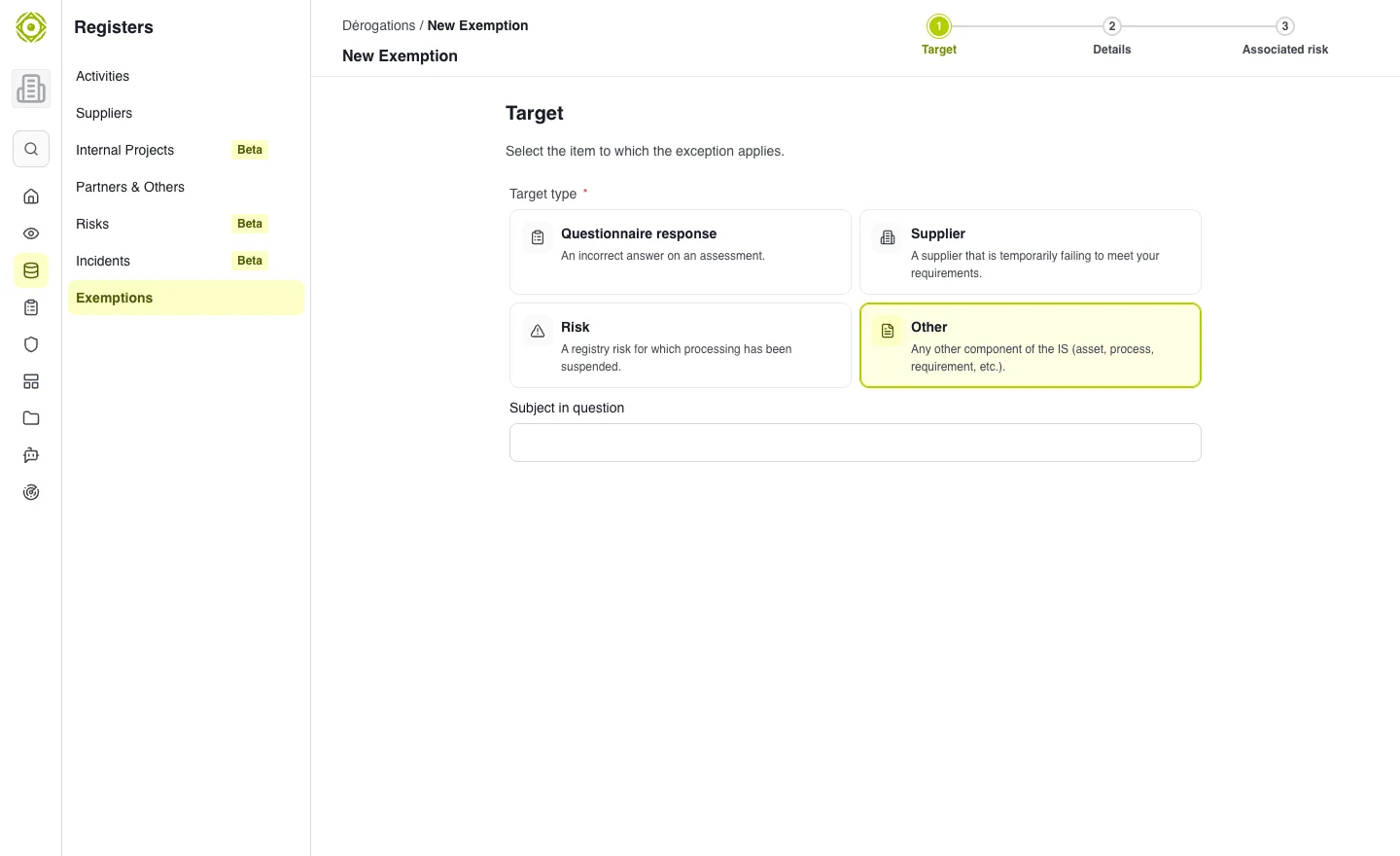
Justification, risk and duration make the decision reviewable. · Open full-size screenshot
Track deadlines
Combine status, target and deadline filters in the register. Use Expires within 30 days to prepare reviews. Open details and review available actions to follow the decision lifecycle.
Date errors
The end must follow the start and respect the maximum duration displayed by the interface. The review date must precede the end date. Correct highlighted fields before confirming.
Expected outcome
The decision is recorded with a target, justification and deadline. An exemption does not prove that the gap has been fixed: keep tracking controls and the associated risk.