
Organize GRC monitoring
Monitoring brings together news from sources enabled for your organization.
Access: members with module access; beta functionality subject to the plan and enabled features.
Read news
- From Dashboard, open the news section’s link to the full list.
- Filter by category or source to focus on useful topics.
- Open an article to read its original publication in a new tab.
- Use pagination when the feed contains more than one page.
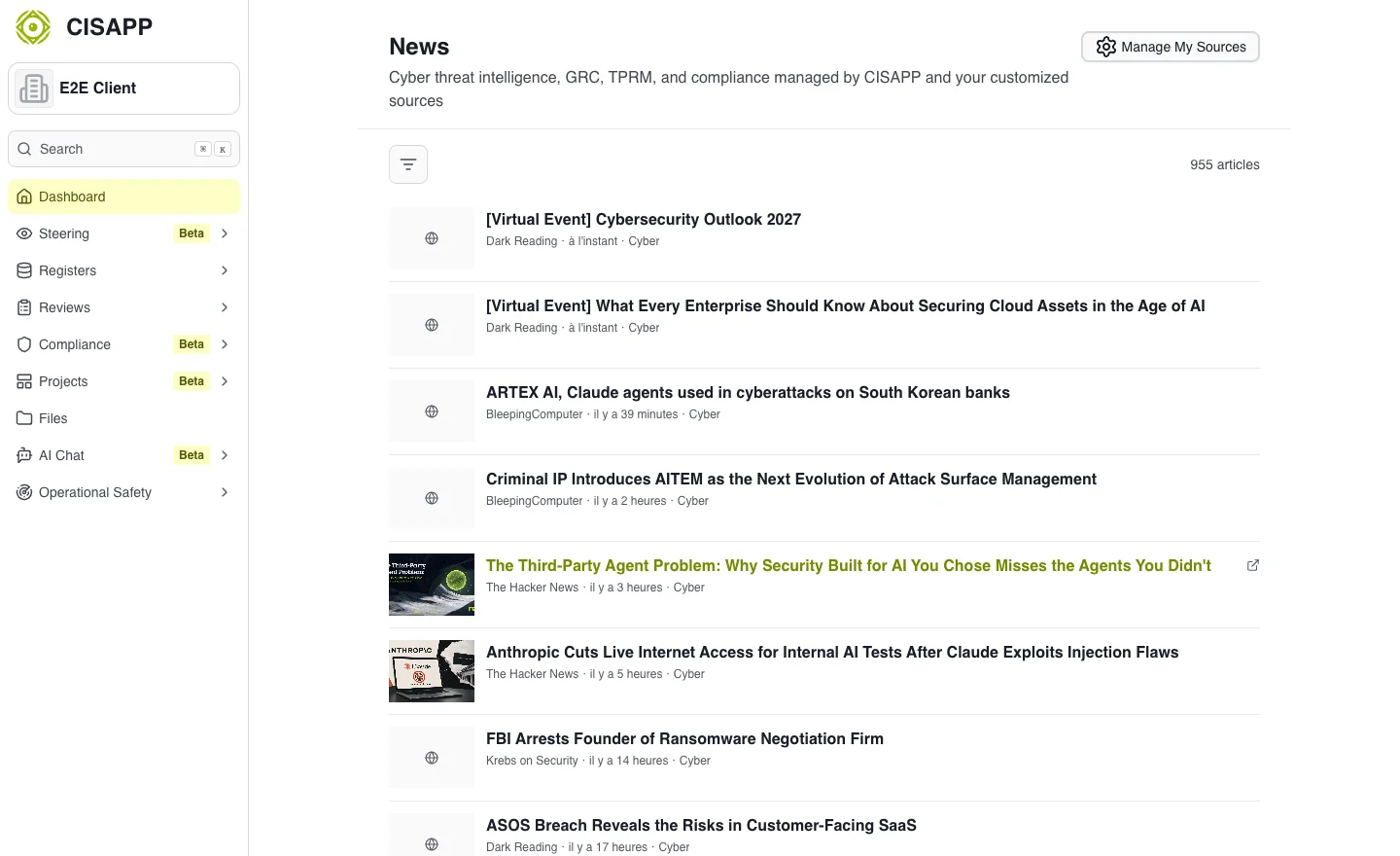
Filters focus the feed on relevant sources and categories. · Open full-size screenshot
Manage sources
Open Manage My Sources. The catalog groups sources by category; switches determine which sources your organization uses. Changes may therefore affect other members’ monitoring feeds.
To add a feed, use the custom-feed action, enter a name and a public HTTPS RSS URL, then confirm. Private addresses are not accepted; respect the feed limit shown by the interface. Check the necessary permissions before modifying or deleting a source.
Expected outcome
News comes from the intended sources and can be filtered by topic. A news article provides context; it does not automatically update your requirements or risk register.
Common difficulties
For an empty list, clear filters and check enabled sources. If a feed is rejected, verify that it is public, uses HTTPS and provides the expected RSS format. A lack of recent articles may also originate from the source itself.