
Maintain GDPR registers
Create a register and describe processing activities, data and transfers.
Access: member. Beta feature, subject to enabled modules and your plan.
Create the register
- Open Compliance → GDPR.
- Start register creation and choose Type and Mode.
- Enter the offered contacts, including the DPO and controller contact where relevant.
- Select Create register.
If a register of that type already exists, CISAPP may open it instead of creating a duplicate.
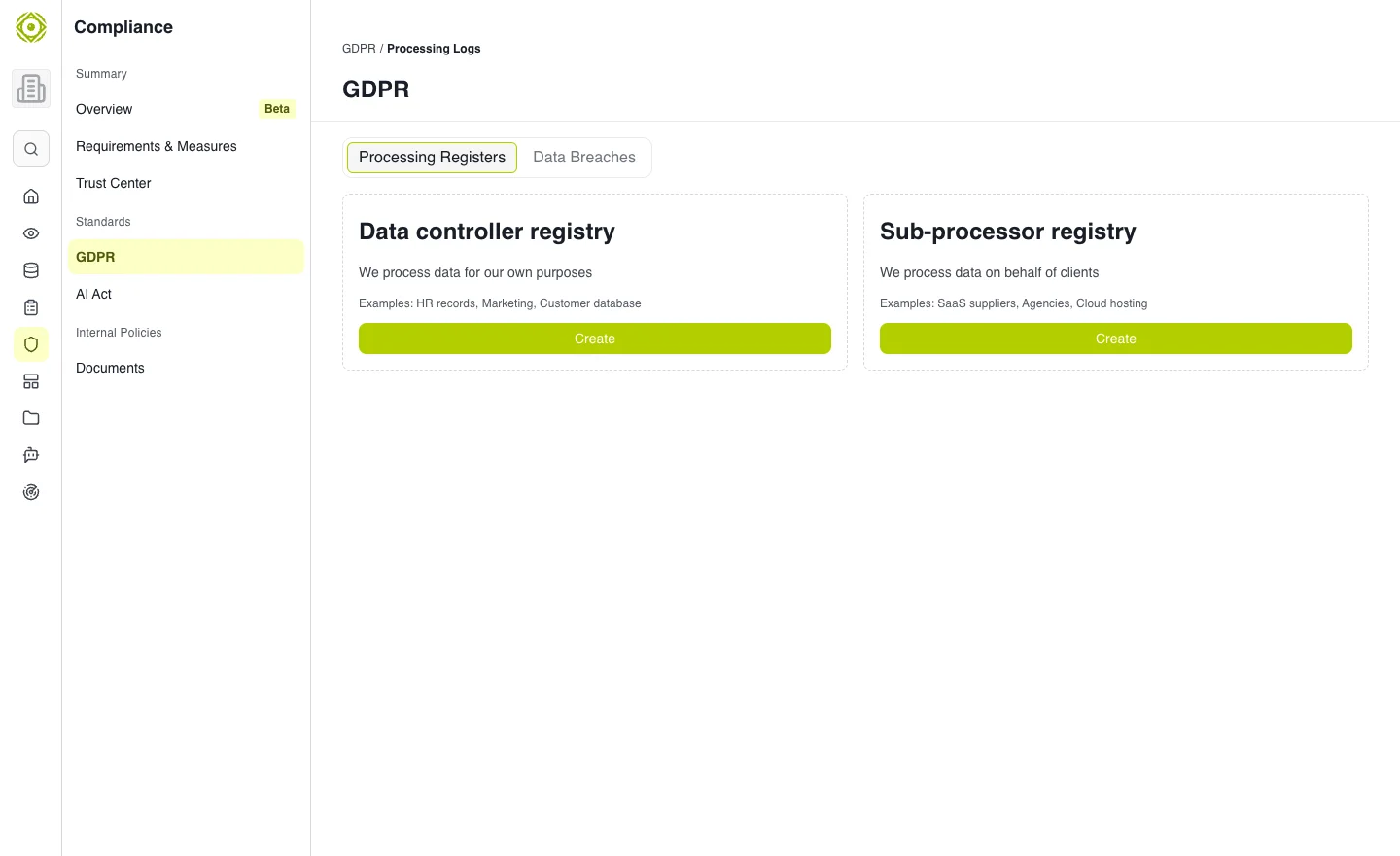
The register groups the processing activities described by your organization. · Open full-size screenshot
Add a processing activity
Create an activity from the register. Complete general information, client information when requested, processed data, recipients and transfers. Review the created record and supporting information or documents.
A GDPR processing activity is distinct from a business activity used to track vendor dependencies.
Keep it up to date
Return to an activity when data, purposes, recipients or transfers change. Use register editing actions to maintain contacts and context.
Expected outcome
An authorized reader can understand the processing described and its main participants. The register supports tracking; the people responsible for your GDPR work remain responsible for validating its information.
For an event affecting personal data, see Data breaches.