
Create and qualify a vendor
Identify a company, set its criticality and add contacts.
Access: vendor creation. Subject to enabled modules and your plan.
Prerequisites and permissions
You need vendor-creation permission or appropriate administrative access, and an available vendor quota. Prepare the company name, website and a contact.
Identify the company
- Open Suppliers → Créer un fournisseur.
- Search by name, domain or registration number.
- Select the matching company. If none exists, choose Créer manuellement.
- Check the required Nom du fournisseur (vendor name) and Site web (website) fields, then complete useful contact details.
- Select Créer to move to qualification. This control and several field labels currently remain in French in the English interface; it does not complete the full creation workflow.
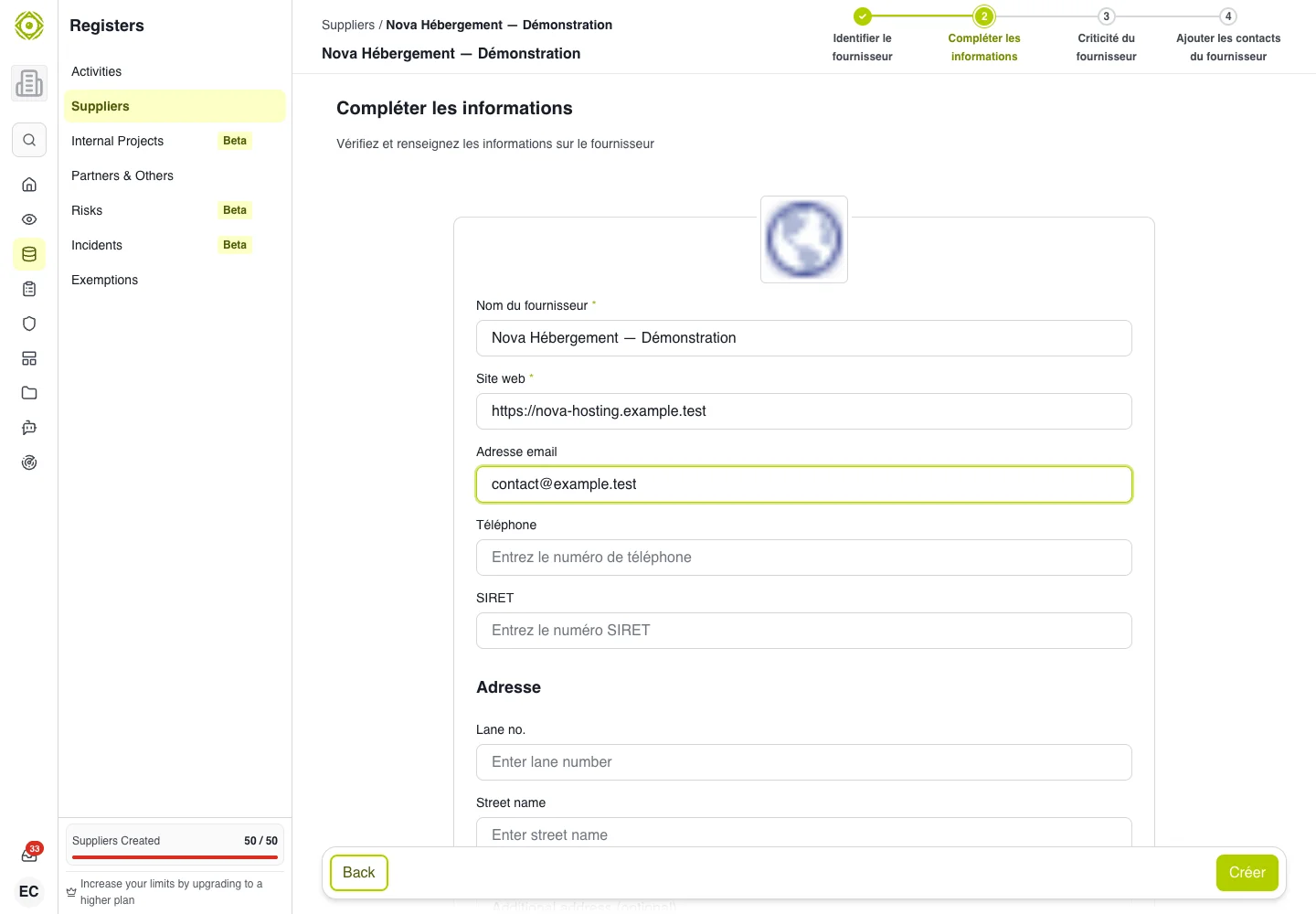
Check the company’s identity before creating the vendor relationship. · Open full-size screenshot
Qualify criticality
Choose an offered qualification mode. In manual mode, select the level matching this vendor’s impact on your business. A criticality questionnaire provides guided qualification when a suitable questionnaire is available.
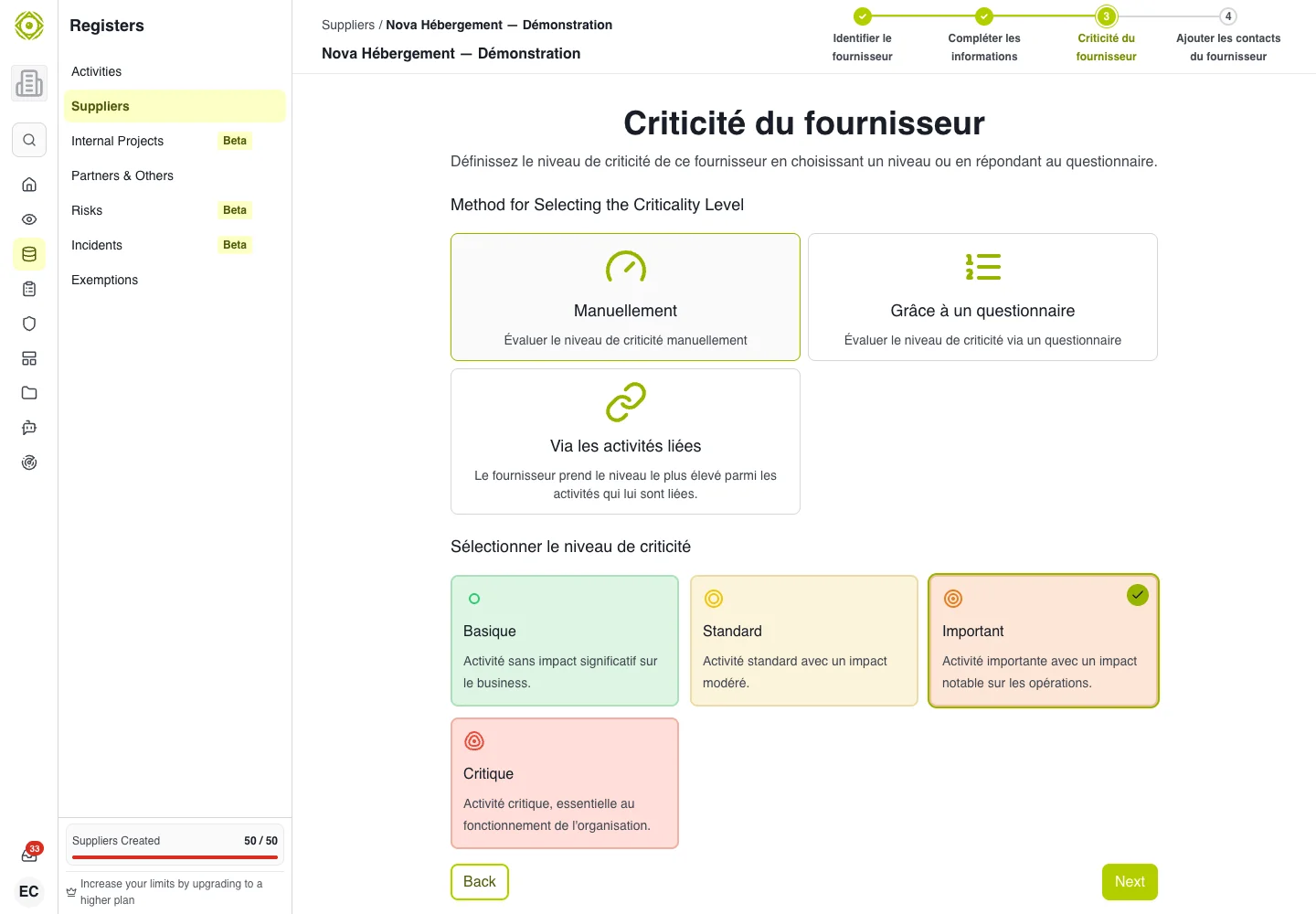
Criticality describes the vendor’s business importance; it is separate from its security score. · Open full-size screenshot
Add contacts and access
Enter useful contacts: first name, last name, email and role. Check every address before sending invitations. If an access step is offered, assign only the necessary permissions to the relevant people and teams.
Expected outcome
The record is accessible from the register. Check its information, link it to business activities and prepare a vendor assessment.
If creation fails
Check the website format, required fields and quota. If the company already exists, return to search rather than creating a variation of its name.