
Assess a vendor
Select a vendor, questionnaires and finalize access.
Access: assessment creation. Subject to enabled modules and your plan.
Prerequisites
The vendor must be accessible in your register. You need assessment-creation permission and access to the selected questionnaire.
Create the assessment
- Open Reviews → Supplier Evaluations, then start creation.
- At Suppliers, select the third party. Starting from its record may preselect it.
- At Questionnaires, choose questionnaires relevant to the scope.
- At Finalization, check the summary, name and description.
- Expand access options if collaborators need to participate. Check each person’s permission before inviting them.
- Confirm creation.
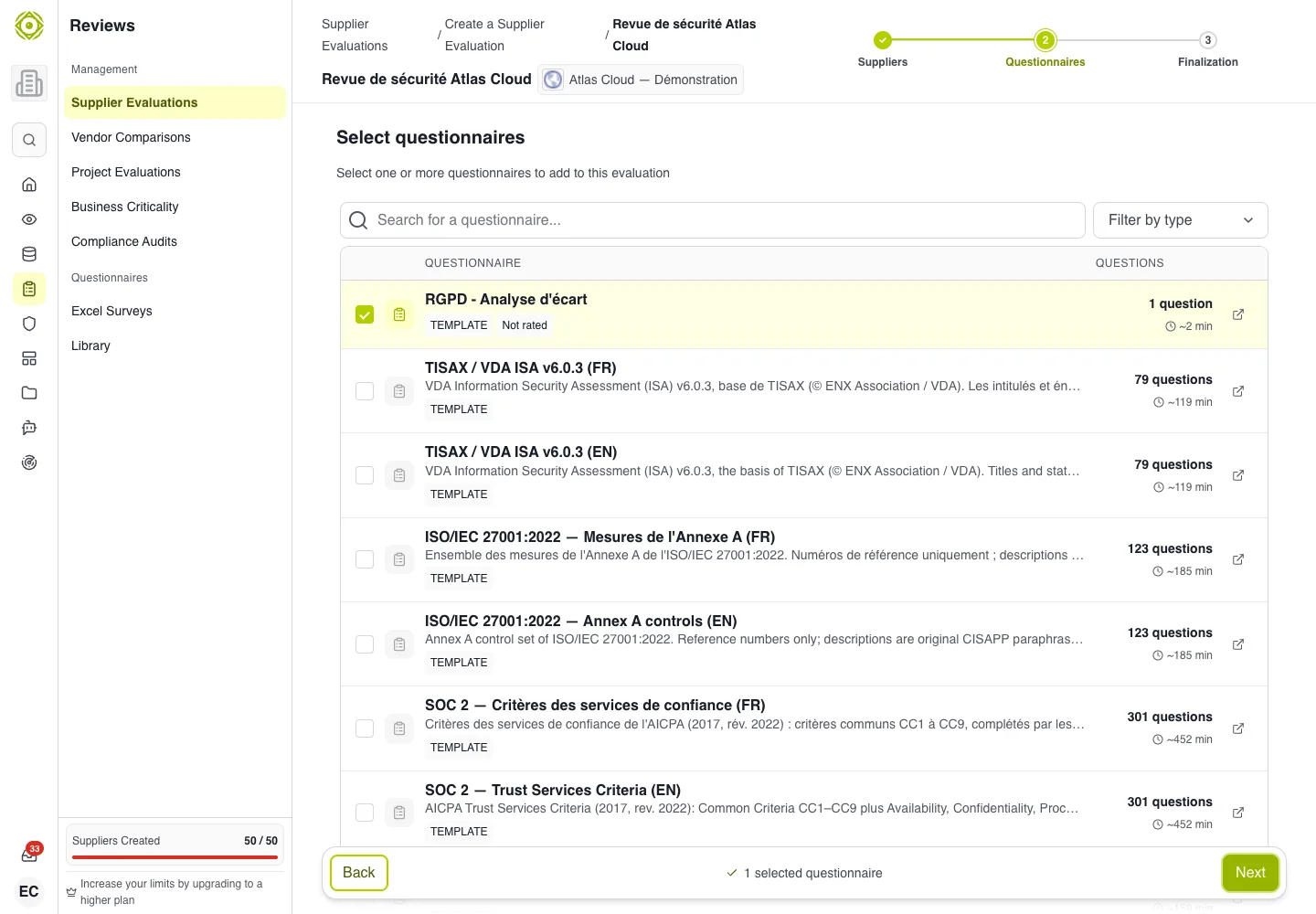
Choose a questionnaire matching what you need to check about the vendor. · Open full-size screenshot
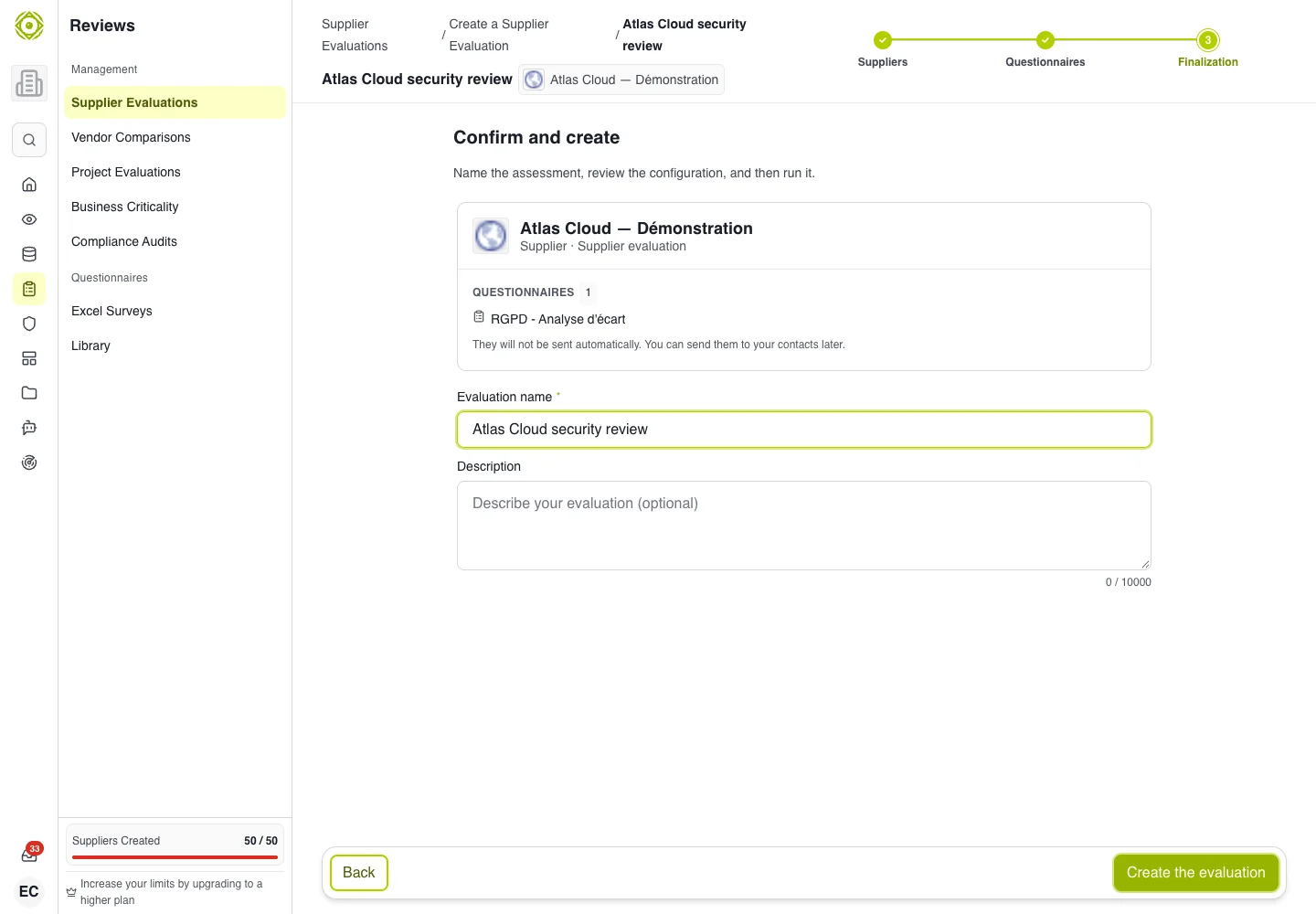
The summary lets you check the scope and access before creation. · Open full-size screenshot
Recurrence
A monitoring cadence may be offered when a vendor assessment is attached to an activity. This option does not appear in every workflow.
After creation
Open the assessment to find its questionnaires and responses. Share the right access with the respondent. Attaching a questionnaire and inviting a respondent are separate things to check.
If you are blocked
- Missing vendor: check permissions and selector filters.
- Missing questionnaire: check its destination and your access.
- Confirmation unavailable: complete required fields and earlier steps.
- Invitation not received: check the address and invitation status before resending.
Expected outcome
The assessment appears in the list and its record shows the selected vendor and questionnaires. Sending it to a respondent remains a separate action to check.