
Navigate and search
Use menus, the command palette and list filters.
Access: member.
Main workspaces
| Workspace | Purpose |
|---|---|
| Home and Reporting | Read indicators and explore dependencies. |
| Registers | Find activities, vendors, projects, applications, risks, incidents and exemptions. |
| Assessments | Start an assessment and manage questionnaires. |
| Compliance | Track requirements, controls and trust information. |
| Action plans | Organize action plans and track all actions or My actions. |
| Files | Centralize and share documents. |
| Operational security | Review exposure and monitored assets. |
| My company | Manage the organization profile and access. |
Reach an action quickly
- Select Search, or press ⌘ K on Mac and Ctrl K on Windows/Linux.
- Type words describing a screen or action.
- Navigate suggestions with the keyboard and press Enter.
- Press Escape to close the palette without opening anything.
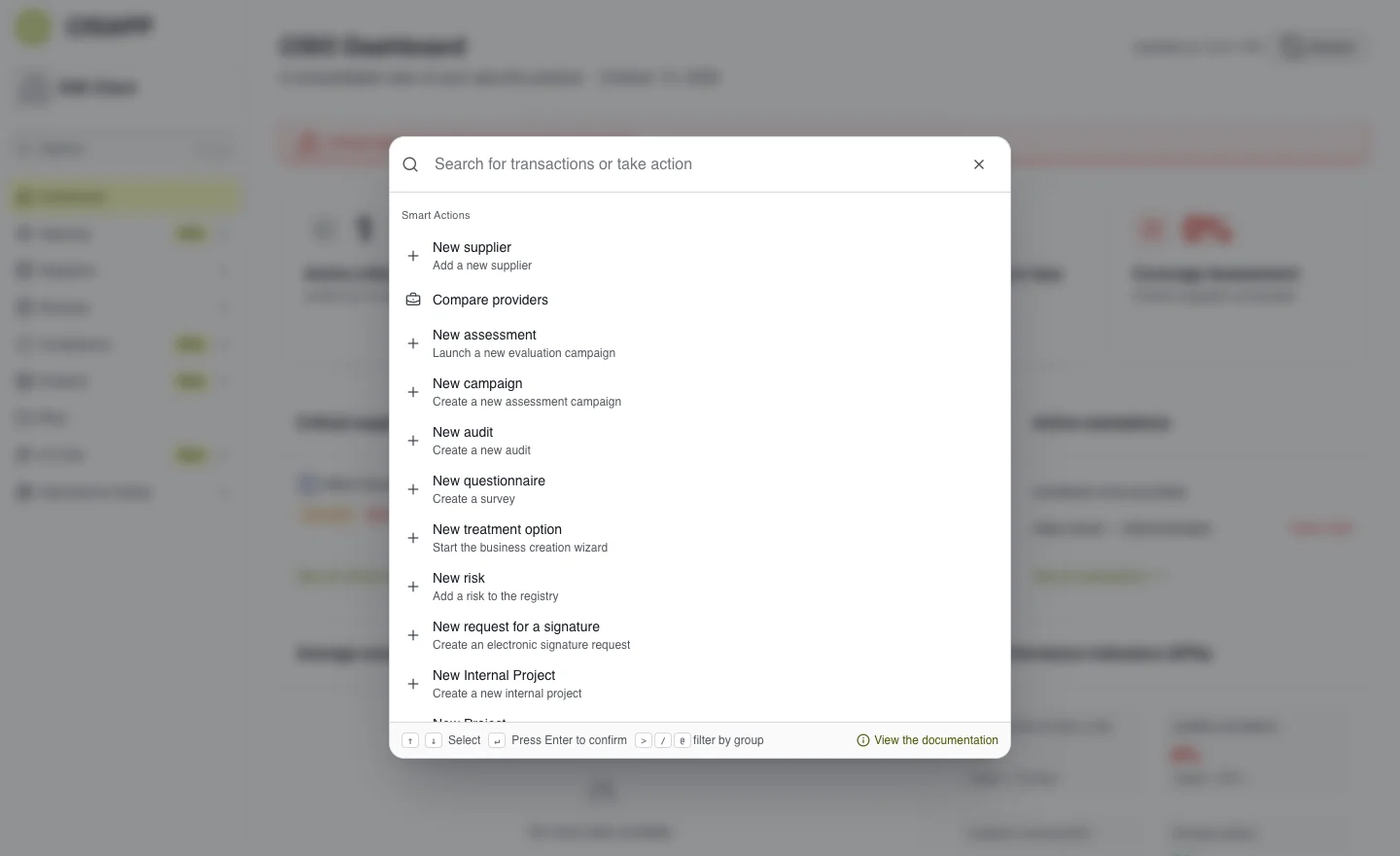
The palette offers destinations and actions permitted for your account. · Open full-size screenshot
Search a register
List search is separate from the command palette. Combine the search field with the available filters: status, criticality, tags or owner, depending on the register. If a list is empty, clear the filters before assuming there is no data.
Missing button or menu
First check your permissions and the scope shared with you. Some modules depend on your plan or activation. See Feature availability.
The English interface uses Reviews for assessments and Suppliers for vendors. Some controls currently retain French labels. Use the screenshots and the displayed control text to locate the action.