
Start tracking compliance
Create a compliance workspace and read framework coverage.
Access: member. Beta feature, subject to enabled modules and your plan.
Create your workspace
Open Compliance → Overview. If no compliance entity exists, the screen offers Create My Compliance Portal. Use this action with an authorized account and follow the displayed flow.
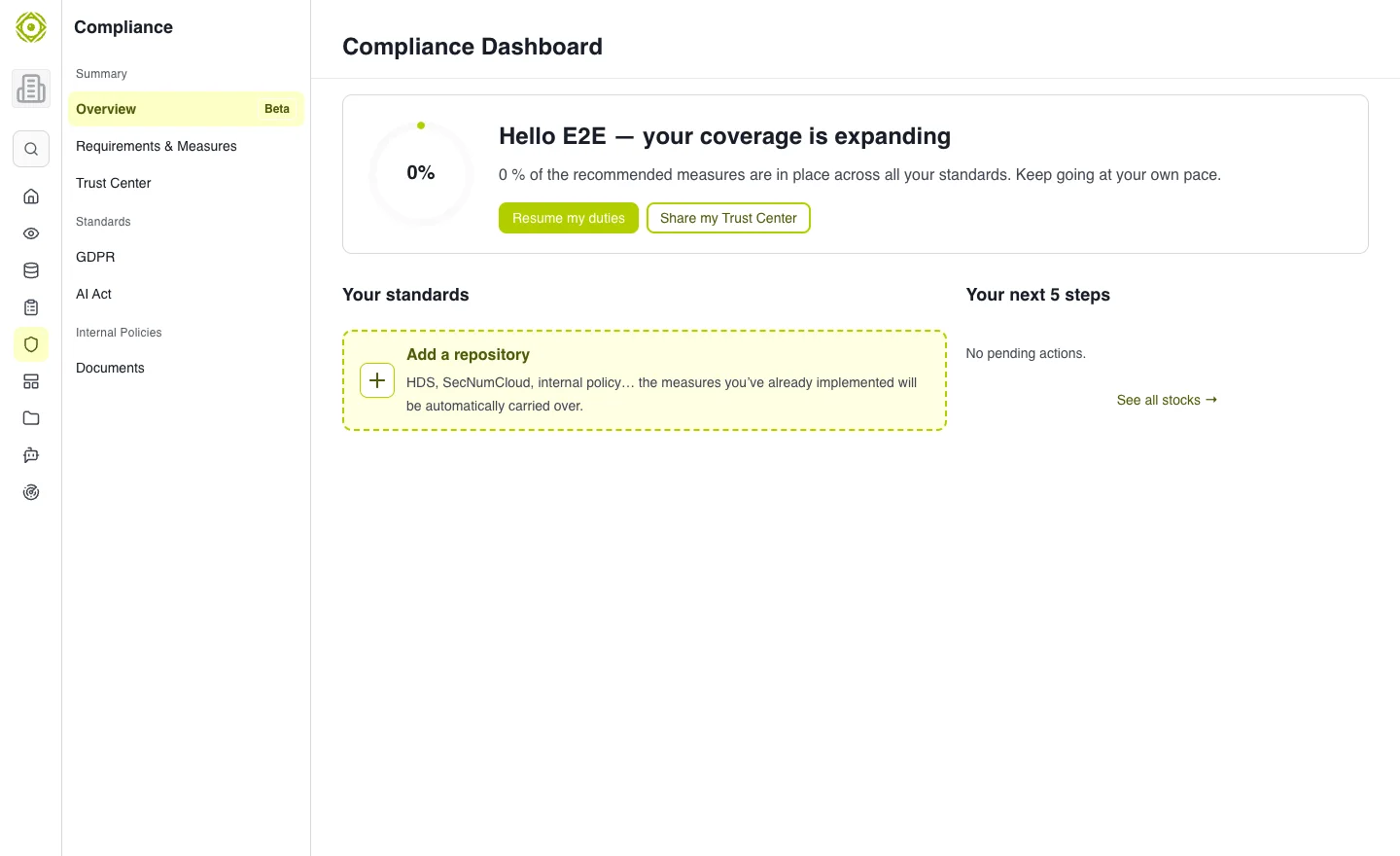
A compliance workspace is needed before tracking requirements and controls. · Open full-size screenshot
Read the dashboard
The overview presents linked frameworks, control coverage and next actions. Use Resume my tasks to return to pending work and Add a repository to extend the scope when available.
- Check the frameworks included in your scope.
- Identify expected controls that are not yet in place.
- Open Requirements & Measures to complete the items.
- Review next actions and distribute work.
- Review coverage after updates.
Interpret coverage
The indicator represents the state recorded in CISAPP. It is not, on its own, certification or regulatory validation. A control may contribute to several frameworks; check offered mappings before duplicating its tracking.
Availability of regulatory workspaces
Dedicated NIS2, DORA and AI Act pages are currently under construction. Available requirements and controls tracking in the shared workspace is separate from those dedicated pages.
Continue with Requirements and controls.
Expected outcome
The overview reflects the selected frameworks and scope. Missing data and follow-up actions are identified.