
Share your Trust Center
Prepare a compliance snapshot, choose its visibility and revoke its link.
Access: member. Subject to enabled modules and your plan.
The Trust Center presents a snapshot of your compliance approach, downloadable or publishable through a public link.
Prepare sharing
- Open Compliance → Trust Center with the required access.
- Review Preview, the date and included frameworks.
- Choose Included frameworks, Hide evidence details and Validity options.
- Use Download the PDF to obtain a copy for review.
- To allow public access, enable Post publicly, then use Copy the link.
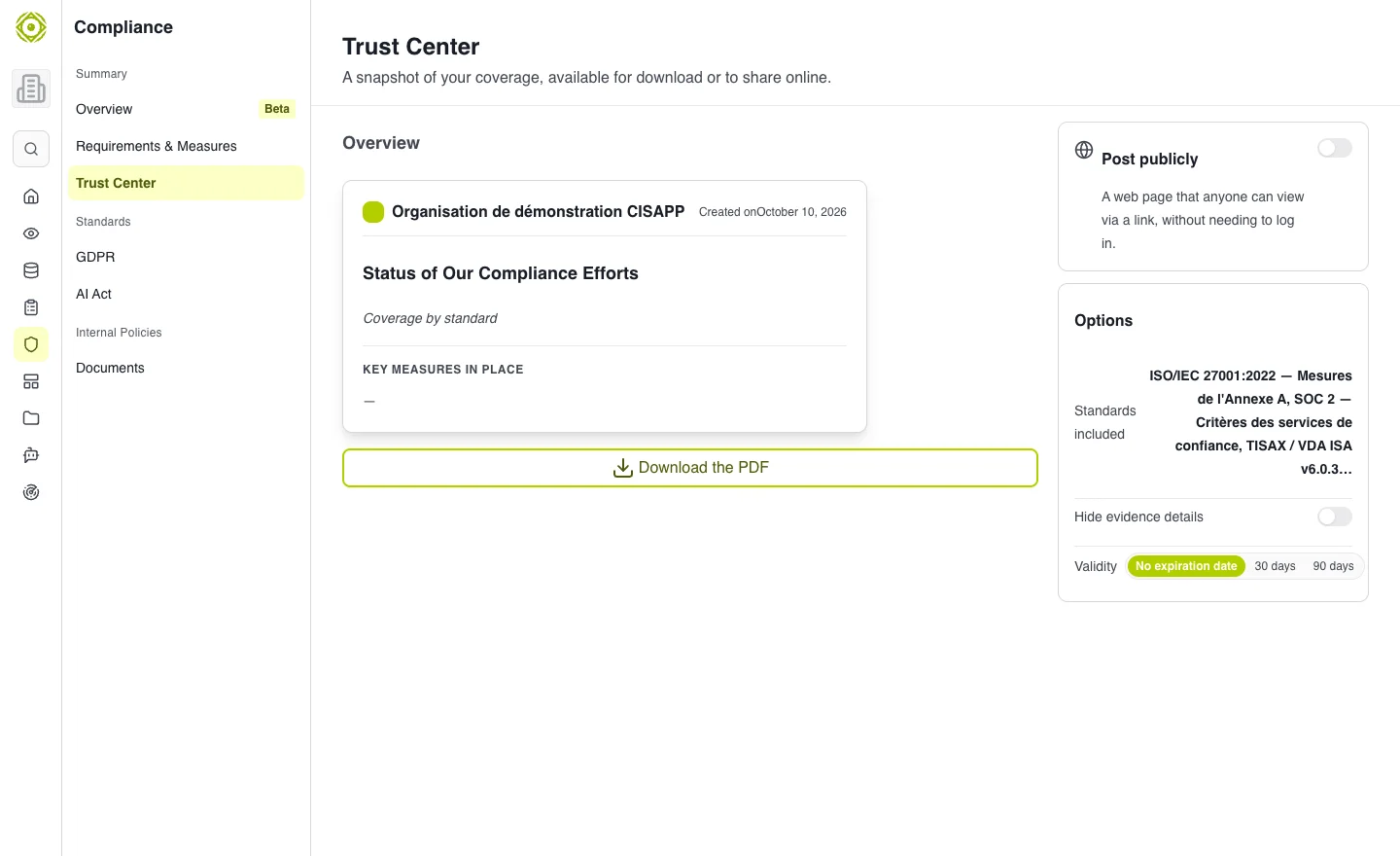
Publication options determine what your reader can see. · Open full-size screenshot
Check and revoke
Open the link in a private window to check what is accessible without signing in. Disable publication to remove public access. If limited validity was selected, check the displayed expiration.
What your recipient reads
They read a snapshot, not necessarily the current state of every control. Check the date and refresh sharing when the content needs updating.
Common difficulties
If no compliance workspace exists, create it from the overview. If a link no longer works, check publication and validity. Before sharing, verify the actual content shown in the preview.
Expected outcome
The portal displays only the information and documents you chose to make accessible. Its public link has been reviewed outside your signed-in session.