
The vendor register
Search, filter and export your organization’s vendors.
Access: member, vendor creation. Subject to enabled modules and your plan.
The register centralizes your organization’s third parties. A vendor record contains its identity, criticality and the information accessible to your account.
Browse the register
- Open Registers → Suppliers.
- Search for a name and, when needed, apply Status, Criticality level and Tags filters.
- Select a row to open its record.
- Use Export to CSV to work with the list in another tool. Check the filters and desired columns before exporting.
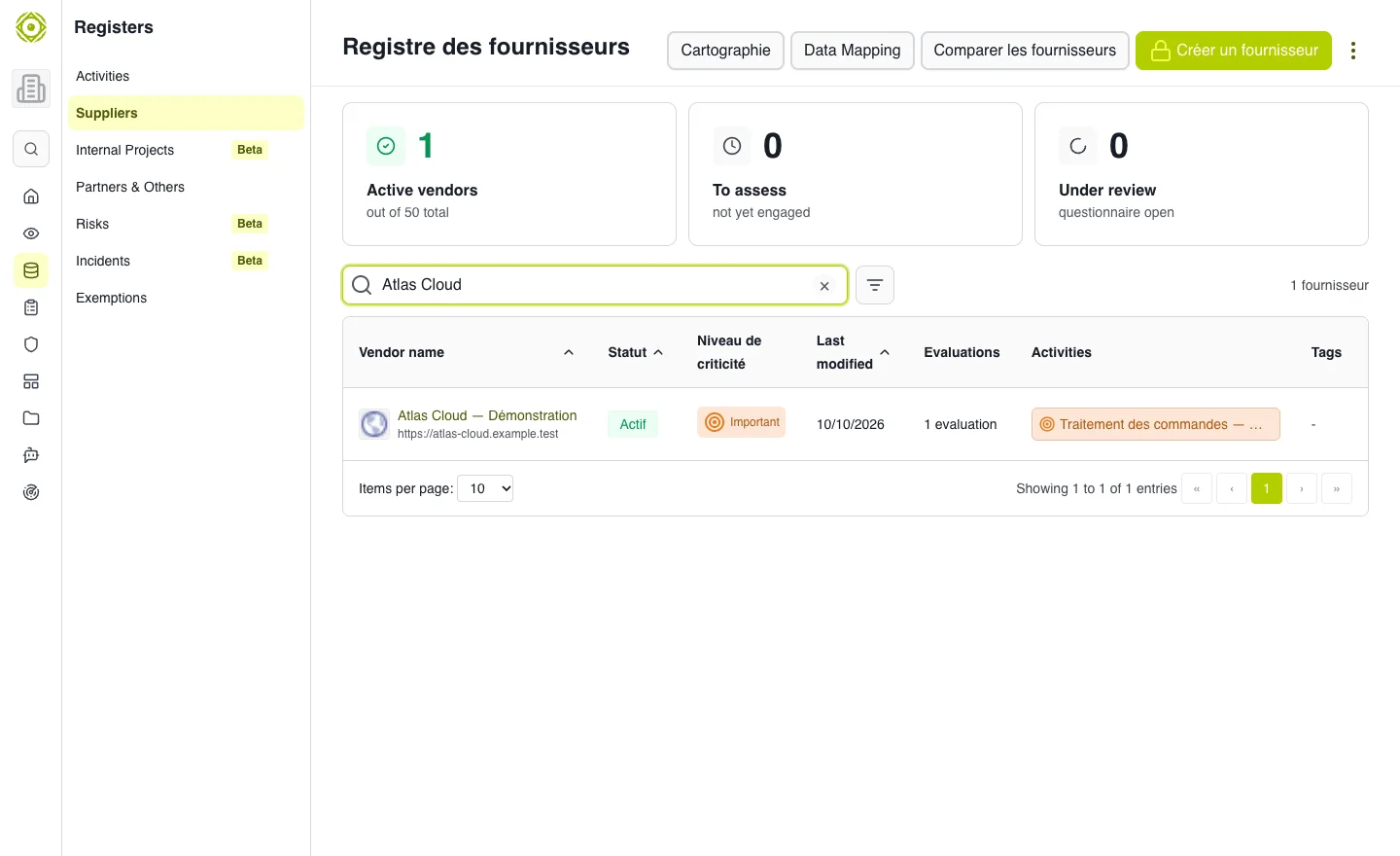
Find a third party in the register before opening its details. · Open full-size screenshot
Understand visibility
You may see that a vendor exists without being able to read all its information. Access to the record and related objects depends on permissions shared with you or your team.
Indicators above the register summarize visible vendors and their assessment engagement. A vendor that has never been assessed does not necessarily have poor security: an assessment is missing.
Add or find a vendor
Use Créer un fournisseur and search for the company first to avoid duplicates. See Create and qualify a vendor.
Common difficulties
- No results: clear the search and filters.
- Record inaccessible: ask the owner to share access.
- Limit reached: check the displayed quota. A vendor marked inactive remains in the register and still counts toward the created-vendor quota.
- Incomplete export: check the visible scope and export options.
Expected outcome
You have found the correct vendor and its record matches your working scope.