
Welcome to CISAPP
Understand the main workspaces and choose your first guide.
Access: member.
CISAPP connects vendors, business activities, assessments, risks and compliance evidence. Start with a vendor to understand its exposure, or with a business activity to identify dependencies.
Before you start
You need an activated account attached to your organization. Visible menus depend on your plan and permissions. A missing menu does not mean your data has disappeared.
Your first journey
- Sign in with the email address used for your invitation.
- Check your organization’s name in the interface.
- Discover navigation and search.
- Open Suppliers and select a record you can access.
- Follow Onboard a vendor to add a third party, or Answer a questionnaire if you are a respondent.
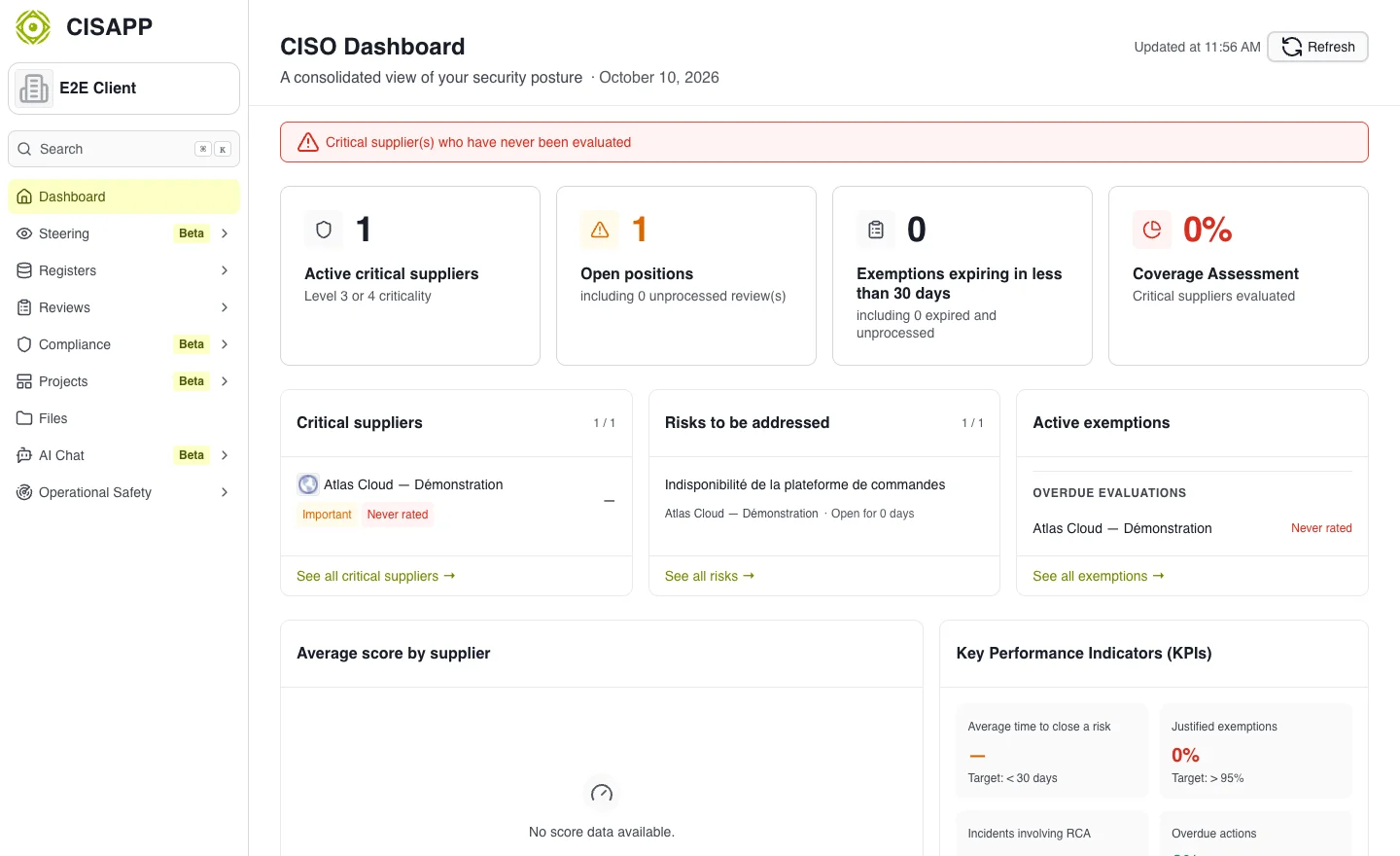
Home displays the indicators available to your organization. The illustrated data is fictional. · Open full-size screenshot
Understand the objects
| Object | Purpose |
|---|---|
| Business activity | Describe what your organization needs to keep doing. |
| Vendor | Identify a third party and centralize its information. |
| Assessment | Examine a scope using questionnaires. |
| Risk | Describe a scenario and track its treatment. |
| Control | Describe a mitigating action and its progress. |
| Evidence | Support a response or control with a document. |
If your workspace looks empty
Check your permissions, then feature availability. An external respondent does not necessarily have the same workspaces as an administrator.